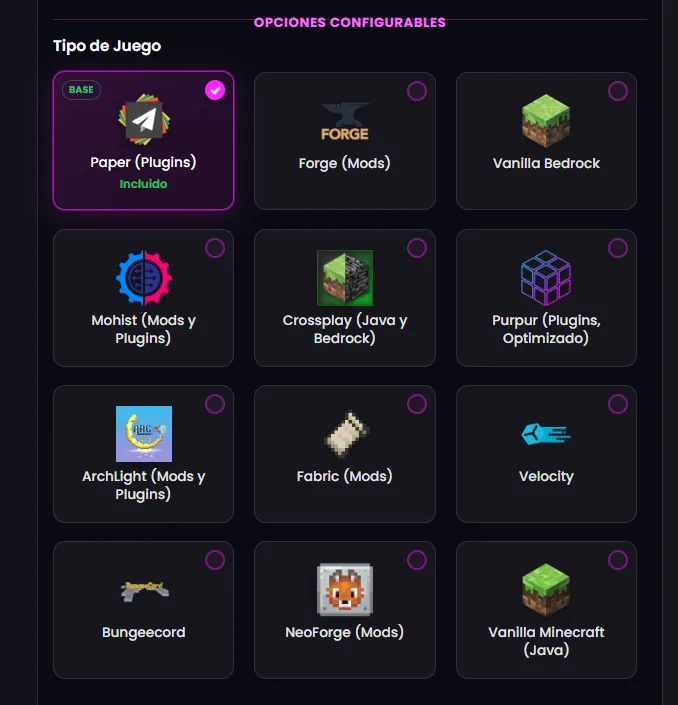

If your modpack targets Minecraft 1.20.2 or newer, it almost certainly runs on NeoForge rather than Forge: All the Mods 10, the recent Cobblemon packs, Prominence II and most of what ships for 1.21 and the 26.x line. Most setup guides still talk about Forge as if nothing changed, and half the support tickets on modern packs come from exactly that: the wrong Java, a Forge mod dropped into a NeoForge server, or a client-only mod killing the boot. This guide covers it in order.
What NeoForge is and how it differs from Forge
NeoForge forked from Forge in 2023 and is maintained by much of the original team. It does the same job (loading mods into Minecraft Java) with a faster-moving codebase and one rule that matters for your server: Forge mods and NeoForge mods are not interchangeable. A mod built for Forge 1.20.1 will not load on NeoForge 1.20.4, and a pack built on NeoForge will not start on Forge.
The practical rule: 1.20.1 and older, Forge; 1.20.2 and newer, almost always NeoForge. The even more practical rule: use the loader your pack was built for. If you install the pack from the panel, the installer decides for you.
Which Java version it needs
The number one cause of "it will not start". Per the official NeoForge docs and the Minecraft wiki:
- NeoForge for 1.20.2-1.20.4: Java 17.
- NeoForge for 1.20.5-1.21.x: Java 21.
- NeoForge for the 26.x line (since March 2026): Java 25.
With a Java older than the version requires, the console shows UnsupportedClassVersionError before a single mod loads. On a panel like ours the Java version is the server's image and switches in one click; the modpack installer sets it automatically.
Option A: install a modpack (the usual case)
- In the panel's Modpacks tab, search the pack on CurseForge or Modrinth and install. The system downloads the server files, configures NeoForge and the Java version, and leaves the server ready.
- Start it. The first boot of a 300-mod pack takes several minutes while it builds registries and caches; do not interrupt it because it looks hung. Watch the console.
- When you see
Done, join with the same pack and version in your launcher (CurseForge and Modrinth install it in one click). When a friend "cannot join", nine times out of ten they have a different pack version.
Option B: your own mod list
- In the panel's version selector pick NeoForge and the Minecraft version. Start once so
mods/andconfig/are generated. - Download each mod in its NeoForge build for your Minecraft version from Modrinth or CurseForge and upload them to
mods/through the file manager or SFTP. - Add the dependencies each mod asks for (many need a separate library; the mod page says so).
- Restart and read the whole console. If it fails, the last screen of text almost always names the mod.
On a VPS instead of a panel: the official installer runs with java -jar neoforge-<version>-installer.jar --installServer, generates run.sh and user_jvm_args.txt (where the RAM goes as -Xmx), and the first boot requires accepting the EULA in eula.txt. See VPS vs hosting if you are deciding between the two.
Client-only mods: what to keep off the server
A dedicated server renders nothing. Shaders, minimaps, HUD, sound and animation mods are client-side and on the server either do nothing or crash the boot. CurseForge server packs already leave them out; if you build your own list, check each mod page for "client-side" and skip it. The NeoForge docs admit it is not always obvious: when in doubt, test it on the server and read the error.
How much RAM and which CPU
NeoForge packs tend to be the big ones. As a reference: medium packs 8 GB; 300-mod kitchen-sink packs 10-16 GB from day one; networks or many dimensions, more. And the warning we repeat because it is where the most money is wasted: 16 GB on an oversold node still stutters, because a big pack's tick is single-core work. Our RAM guide covers how to split the plan's RAM between the Java heap and the rest.
Optimization from day one
- Pregenerate the world with Chunky: on a pack with new dimensions and biomes, live terrain generation is the number one cause of lag.
- Lower view-distance and simulation-distance to 6-8 and 4-6 in
server.properties. - Performance mods compatible with NeoForge (ModernFix, FerriteCore and similar, in the build for your loader). Many packs ship them, sometimes disabled.
- Backup before every pack update. Updating a modpack is the most common way to lose a world; from the panel it is one click.
Common startup errors and what they mean
- UnsupportedClassVersionError: Java older than the version needs. Switch the Java image.
- "Mod X requires Y": a missing dependency. Download it in its NeoForge build.
- Crash naming a shader, minimap or HUD mod: a client-only mod in
mods/. Remove it. - "This mod is for Forge": mixed loaders. Find the NeoForge build or switch loader.
- Server dies with no error after loading mods: it ran out of memory during load and the container killed it. More RAM, or an
-Xmxwith headroom. - Players cannot join ("mod rejections" or "incompatible"): different pack version in the launcher.
NeoForge behind a network
A NeoForge backend works behind Velocity with a proxy-compatibility mod on the backend and a higher read-timeout on the proxy (plus -Dfml.readTimeout on the backend), because packs are slow to respond during boot and dimension changes. It is covered step by step in how to set up a Velocity network.
On our NeoForge server hosting the installer sets NeoForge, the Java version and the pack for you, and support reads crash reports with you on Discord. If your server already lives elsewhere, migration is free and we check versions before switching.