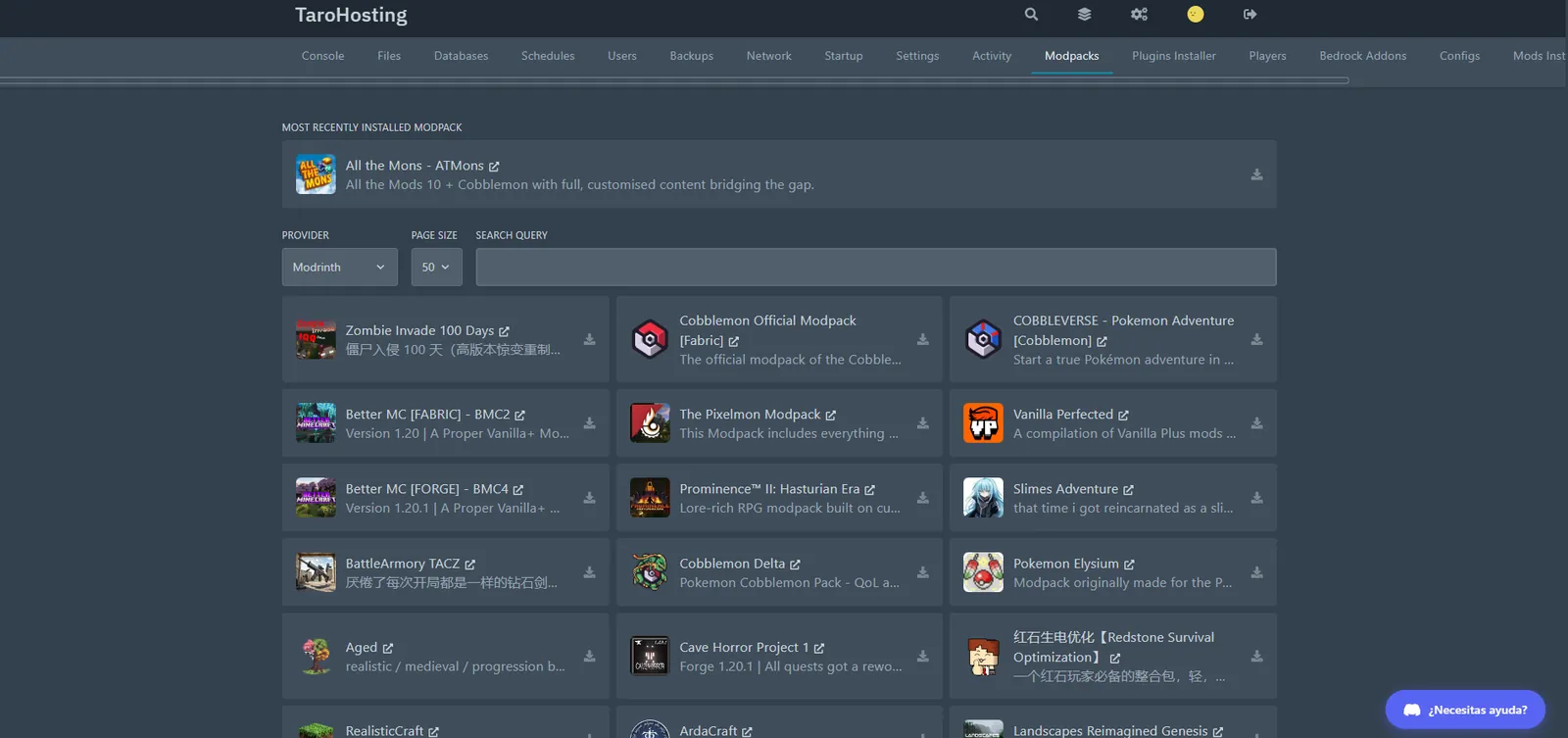
A modpack server is not a normal server with more RAM. Hundreds of mods multiply the work per tick, startup takes minutes, extra dimensions eat disk and a careless update can corrupt the world. This is the modded hosting we built with that in mind: a one-click installer for CurseForge and Modrinth packs, plans up to 24 GB, fast per-core CPUs with no caps, and support that has installed these packs before you have.
One-click install, any pack, any loader
From the Modpacks tab in the panel you install any CurseForge or Modrinth pack: the system downloads the server files, sets the right loader (Forge, NeoForge or Fabric) and the right Java version, and leaves the server ready to start. No hunting for the server pack, no fighting Java versions, no FTP.
We also keep dedicated pages with requirements and a recommended plan for the most played packs, with the RAM each one actually needs.
How much RAM each kind of pack needs
It is the question we get most, and the answer depends on the weight of the pack more than on player count. As a reference:
- Light performance packs (Fabric + optimization mods): 4-6 GB. Plenty for a small group.
- Medium and adventure packs (RLCraft, Better MC, Cobblemon): 8 GB for 5-15 players. The sweet spot for most communities.
- Pokémon packs with many NPCs and gyms (Pixelmon): 8-12 GB depending on how much custom content you add.
- Kitchen-sink packs with 300+ mods (All the Mods, tech packs): 10-16 GB from day one, and a fast CPU for the automated farms.
- Networks or packs with many dimensions: 16-24 GB, and it is worth splitting across servers.
RAM is not the whole story: the CPU decides
An expensive mistake is buying 16 GB on a host with a shared, oversold CPU. Heavy packs do not die from lack of memory; they crawl because the JVM cannot finish the tick in time with hundreds of mods processing at once, and that is pure per-core performance.
That is why our nodes run high-clock dedicated CPUs with no usage caps, dedicated RAM and NVMe PCIe 4.0. Storage matters more than it seems on modded: big packs generate several dimensions and save far more world than a vanilla server.
Backups before every update
Updating a modpack is the operation that has destroyed more worlds than anything else in Minecraft: a mod removed from the pack wipes its blocks, a loader version changes, an item stops existing.
Take a one-click backup from the panel before touching anything. If something breaks, restore and keep playing. And if it happens at 2 am, support is on Discord.